 Travel mode
Your trip. Its own budget.
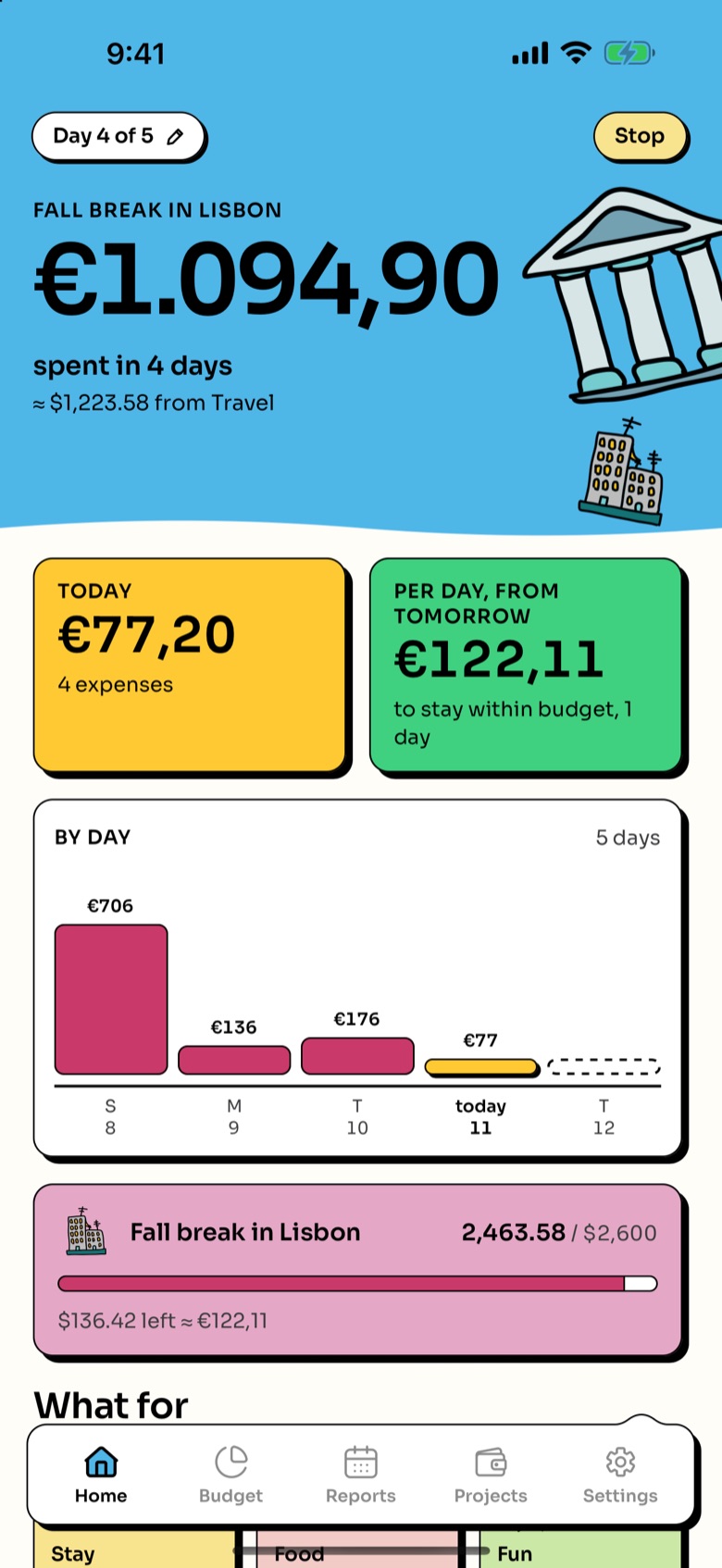
Going away? Start a trip and Home becomes the trip’s journal: what you spent each day, in the local currency, and how much is left.
 Coming to iPhone.

How it works
Four steps, then just spend.
- 01
Start a trip
Pick the currency, and how many days if you know. The expenses go into the Travel fund, or into a project inside it, a summer holiday with its own budget, say.
- 02

Spend in the local currency
The + asks only for the amount and what it was for: Stay, Food, Coffee, Transport, Fun or Shopping. Fluid Budget converts it at the day’s rate.
- 03
Follow it day by day
Home shows today’s spending, a bar for each day, and how much you can spend a day from tomorrow to stay within the trip’s budget. With no end date, it shows the average per day.
- 04

Stop when you’re back
No money moves. Home is back to your monthly budget, and the trip waits under Past trips in its fund, every expense with its rate.
 Exchange rates
Every expense keeps its rate.
Rates are downloaded when you’re online and saved on the phone. Each expense keeps the rate it was recorded with and is never recalculated, so a trip reads the same a year later.
- Offline, the app uses the last rate it has.
- No rate at all? Type one by hand.
- More than 160 currencies, from ExchangeRate-API or from the European Central Bank’s rates.
 Its own money
The trip doesn’t touch your month.
Travel is one of your funds, kept apart from the monthly budget. Put money in before you go, from your budget or from outside it, and the trip draws on that. At home, the month carries on as usual.
Fluid Budget records money. It doesn’t hold or exchange money or make payments, and it never connects to your bank or card.
Questions
Do we both see the trip?
Yes. In a shared family budget the trip is on both phones, and either of you can add to it, even offline.
Does it need an account or a connection?
No. Travel mode works on your own, offline, with no account. A connection only brings fresh rates.
Is it connected to my card?
No. You add each expense yourself, in a few taps. With the optional Apple Pay shortcut, a payment can open the expense already filled in.
What happens to the trip afterwards?
It stays, read-only, under Past trips: the days, the total, and every expense with its rate.
Pack light. Fluid Budget does the sums.
Travel mode is part of Fluid Budget, coming to iPhone. Try the real app on the home page, or write to hello@fluidbudget.io.